Enumerating Web Application with Ffuf
Installation
You can install it using the package manager or by downloading it directly from the GitHub repository.
1
kali@kali$ sudo apt install ffuf -y
The first thing a user who has no experience with a particular tool should do is read the tool’s manual. Usually each tool provides the -h/--help argument to display the tool’s help. Apart from that, Linux distros usually also have a man command to display manual tools documentation.
1
2
3
4
5
6
7
8
9
10
11
12
13
14
15
16
17
18
19
20
21
22
23
24
25
26
27
28
29
kali@kali$ ffuf --help
Fuzz Faster U Fool - v1.5.0 Kali Exclusive <3

HTTP OPTIONS:
  -H                  Header `"Name: Value"`, separated by colon. Multiple -H flags are accepted.
  -X                  HTTP method to use
  -b                  Cookie data `"NAME1=VALUE1; NAME2=VALUE2"` for copy as curl functionality.
  -d                  POST data
  -http2              Use HTTP2 protocol (default: false)
  -ignore-body        Do not fetch the response content. (default: false)
  -r                  Follow redirects (default: false)
  -recursion          Scan recursively. Only FUZZ keyword is supported, and URL (-u) has to end in it. (default: false)
  -recursion-depth    Maximum recursion depth. (default: 0)
  -recursion-strategy Recursion strategy: "default" for a redirect based, and "greedy" to recurse on all matches (default: default)
  -replay-proxy       Replay matched requests using this proxy.
  -sni                Target TLS SNI, does not support FUZZ keyword
  -timeout            HTTP request timeout in seconds. (default: 10)
  -u                  Target URL
  -x                  Proxy URL (SOCKS5 or HTTP). For example: http://127.0.0.1:8080 or socks5://127.0.0.1:8080

GENERAL OPTIONS:
  -V                  Show version information. (default: false)
  -ac                 Automatically calibrate filtering options (default: false)
  -acc                Custom auto-calibration string. Can be used multiple times. Implies -ac
  -ach                Per host autocalibration (default: false)
  -ack                Autocalibration keyword (default: FUZZ)
  -acs                Autocalibration strategy: "basic" or "advanced" (default: basic)
  -c                  Colorize output. (default: false)
  ...<SNIP>...
1
2
3
4
5
6
7
8
9
10
11
12
13
14
15
16
17
18
19
20
21
22
kali@kali$ man ffuf

ffuf(1)                                                                        User Commands                                                                        ffuf(1)

NAME
       ffuf - Fast web fuzzer written in Go

SYNOPSIS
            ffuf [options]

DESCRIPTION
       ffuf is a fest web fuzzer written in Go that allows typical directory discovery, virtual host discovery (without DNS records) and GET and POST parameter fuzzing.

OPTIONS
       HTTP OPTIONS:

              -H     Header "Name: Value", separated by colon. Multiple -H flags are accepted.

              -X     HTTP method to use (default: GET)

              -b     Cookie data "NAME1=VALUE1; NAME2=VALUE2" for copy as curl functionality.
...<SNIP>...
Fuzzing
Directory Fuzzing
The main options for doing directory fuzzing are -w for wordlists and -u for URL.
1
kali@kali$ ffuf -w <WORDLIST> -u <URL>
We can ignore comments on wordlists with -ic options and colorize the output with -c options.
1
2
3
4
5
6
7
8
9
10
11
12
13
14
15
16
17
18
19
20
21
22
23
24
25
26
kali@kali$ ffuf -w /usr/share/seclists/Discovery/Web-Content/directory-list-2.3-small.txt -u http://academy.htb:PORT/FUZZ -ic -c

        /'___\  /'___\           /'___\
       /\ \__/ /\ \__/  __  __  /\ \__/
       \ \ ,__\\ \ ,__\/\ \/\ \ \ \ ,__\
        \ \ \_/ \ \ \_/\ \ \_\ \ \ \ \_/
         \ \_\   \ \_\  \ \____/  \ \_\
          \/_/    \/_/   \/___/    \/_/

       v1.5.0 Kali Exclusive <3
________________________________________________

 :: Method           : GET
 :: URL              : http://academy.htb:PORT/FUZZ
 :: Wordlist         : FUZZ: /usr/share/seclists/Discovery/Web-Content/directory-list-2.3-small.txt
 :: Follow redirects : false
 :: Calibration      : false
 :: Timeout          : 10
 :: Threads          : 40
 :: Matcher          : Response status: 200,204,301,302,307,401,403,405,500
________________________________________________

                        [Status: 200, Size: 986, Words: 423, Lines: 56, Duration: 175ms]
forum                   [Status: 301, Size: 319, Words: 20, Lines: 10, Duration: 170ms]
blog                    [Status: 301, Size: 318, Words: 20, Lines: 10, Duration: 3299ms]
...<SNIP>...
We can also assign keywords to a word list to reference it to where we want to fuzz.
1
kali@kali$ ffuf -w /usr/share/seclists/Discovery/Web-Content/directory-list-2.3-small.txt:FUZZNAME -u http://academy.htb:PORT/FUZZNAME -ic -c
By default,
ffufwill run with 40 concurrent threads. You can speed up the fuzzing process by increasing the number of concurrent threads, for example 200 concurrent threads by using the-t 200option inffuf.
Extensions and Files Fuzzing
Extensions Fuzzing
In the directory fuzzing section, we find blog and forum directories. However, both display a blank page when opened in the browser. So we have to do some more fuzzing to find out whether the directory contains hidden pages. In order to do that, we need to know what extensions are used on the web. Usually, every website has a main page that will be displayed when the website is first opened, namely index.*. So, we can fuzz the extension by utilizing this index file.
web-extensions.txtwordlists fromSeclistalready contains a dot (.).
1
2
3
4
5
6
7
8
9
10
11
12
13
14
15
16
17
18
19
20
21
22
23
24
25
kali@kali$ ffuf -w /usr/share/seclists/Discovery/Web-Content/web-extensions.txt:FUZZ -u http://academy.htb:PORT/blog/indexFUZZ -ic -c

        /'___\  /'___\           /'___\
       /\ \__/ /\ \__/  __  __  /\ \__/
       \ \ ,__\\ \ ,__\/\ \/\ \ \ \ ,__\
        \ \ \_/ \ \ \_/\ \ \_\ \ \ \ \_/
         \ \_\   \ \_\  \ \____/  \ \_\
          \/_/    \/_/   \/___/    \/_/

       v1.5.0 Kali Exclusive <3
________________________________________________

 :: Method           : GET
 :: URL              : http://academy.htb:PORT/blog/indexFUZZ
 :: Wordlist         : FUZZ: /usr/share/seclists/Discovery/Web-Content/web-extensions.txt
 :: Follow redirects : false
 :: Calibration      : false
 :: Timeout          : 10
 :: Threads          : 40
 :: Matcher          : Response status: 200,204,301,302,307,401,403,405,500
________________________________________________

.php                    [Status: 200, Size: 0, Words: 1, Lines: 1, Duration: 4623ms]
.phps                   [Status: 403, Size: 279, Words: 20, Lines: 10, Duration: 5408ms]
:: Progress: [39/39] :: Job [1/1] :: 11 req/sec :: Duration: [0:00:05] :: Errors: 0 ::
From the fuzzing results, there were 2 extensions that responded. However, only the *.php extension gives status code 200.
Files Fuzzing
After knowing the extension used on the web, we can then fuzz the file or page using a known extension, which is php.
1
2
3
4
5
6
7
8
9
10
11
12
13
14
15
16
17
18
19
20
21
22
23
24
25
kali@kali$ ffuf -w /usr/share/seclists/Discovery/Web-Content/directory-list-2.3-small.txt:FUZZ -u http://academy.htb:PORT/blog/FUZZ.php -ic -c

        /'___\  /'___\           /'___\
       /\ \__/ /\ \__/  __  __  /\ \__/
       \ \ ,__\\ \ ,__\/\ \/\ \ \ \ ,__\
        \ \ \_/ \ \ \_/\ \ \_\ \ \ \ \_/
         \ \_\   \ \_\  \ \____/  \ \_\
          \/_/    \/_/   \/___/    \/_/

       v1.5.0 Kali Exclusive <3
________________________________________________

 :: Method           : GET
 :: URL              : http://academy.htb:PORT/blog/FUZZ.php
 :: Wordlist         : FUZZ: /usr/share/seclists/Discovery/Web-Content/directory-list-2.3-small.txt
 :: Follow redirects : false
 :: Calibration      : false
 :: Timeout          : 10
 :: Threads          : 40
 :: Matcher          : Response status: 200,204,301,302,307,401,403,405,500
________________________________________________

home                    [Status: 200, Size: 1046, Words: 438, Lines: 58, Duration: 175ms]
                        [Status: 403, Size: 279, Words: 20, Lines: 10, Duration: 3882ms]
index                   [Status: 200, Size: 0, Words: 1, Lines: 1, Duration: 4890ms]
From the fuzzing results, it is known that there are 2 files with the *.php extension in blog directory, namely home and index. We can try to open the path using a browser.
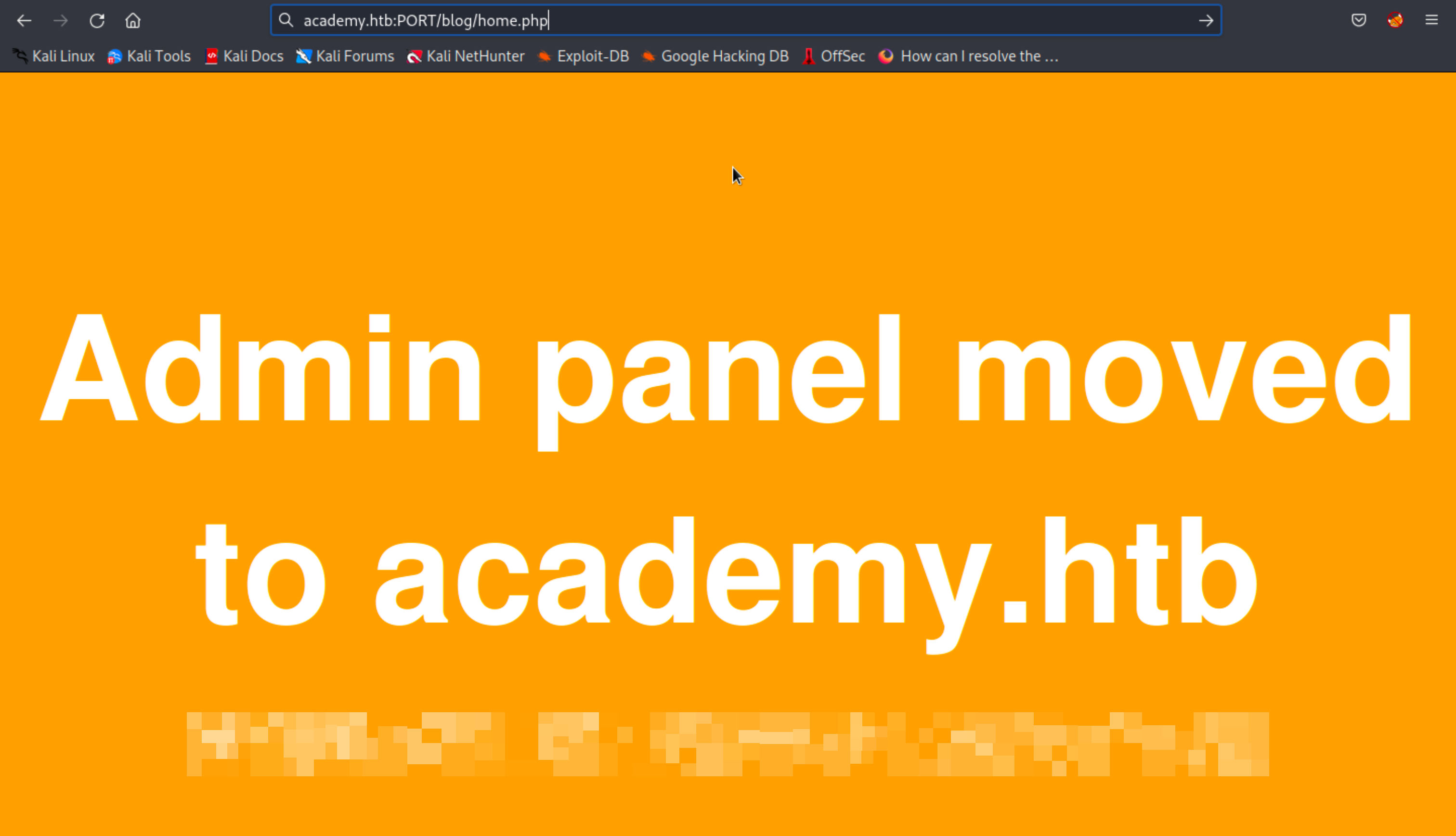 home.php in browser
Recursive Fuzzing
We can enable recursive scanning by using -recursion options. We can also determine how deep the recursive scan goes by using -recursion-depth [number]
1
2
3
4
5
6
7
8
9
10
11
12
13
14
15
16
17
18
19
20
21
22
23
24
25
26
27
28
29
30
kali@kali$ ffuf -w /usr/share/seclists/Discovery/Web-Content/directory-list-2.3-small.txt:FUZZ -u http://academy.htb:PORT/FUZZ -recursion -recursion-depth 1 -e .php -ic -c -t 200

...<SNIP>...
________________________________________________

.php                    [Status: 403, Size: 279, Words: 20, Lines: 10, Duration: 176ms]
blog                    [Status: 301, Size: 318, Words: 20, Lines: 10, Duration: 199ms]
[INFO] Adding a new job to the queue: http://academy.htb:PORT/blog/FUZZ

index.php               [Status: 200, Size: 986, Words: 423, Lines: 56, Duration: 3119ms]
                        [Status: 200, Size: 986, Words: 423, Lines: 56, Duration: 6122ms]
forum                   [Status: 301, Size: 319, Words: 20, Lines: 10, Duration: 6127ms]
[INFO] Adding a new job to the queue: http://academy.htb:PORT/forum/FUZZ

                        [Status: 200, Size: 986, Words: 423, Lines: 56, Duration: 180ms]
.php                    [Status: 403, Size: 279, Words: 20, Lines: 10, Duration: 183ms]
[INFO] Starting queued job on target: http://academy.htb:PORT/blog/FUZZ

                        [Status: 200, Size: 0, Words: 1, Lines: 1, Duration: 198ms]
index.php               [Status: 200, Size: 0, Words: 1, Lines: 1, Duration: 198ms]
.php                    [Status: 403, Size: 279, Words: 20, Lines: 10, Duration: 199ms]
home.php                [Status: 200, Size: 1046, Words: 438, Lines: 58, Duration: 218ms]
                        [Status: 200, Size: 0, Words: 1, Lines: 1, Duration: 181ms]
.php                    [Status: 403, Size: 279, Words: 20, Lines: 10, Duration: 172ms]
[INFO] Starting queued job on target: http://academy.htb:PORT/forum/FUZZ

.php                    [Status: 403, Size: 279, Words: 20, Lines: 10, Duration: 192ms]
                        [Status: 200, Size: 0, Words: 1, Lines: 1, Duration: 201ms]
index.php               [Status: 200, Size: 0, Words: 1, Lines: 1, Duration: 203ms]
flag.php                [Status: 200, Size: 21, Words: 1, Lines: 1, Duration: 175ms]
1
2
3
4
5
6
7
8
9
10
11
12
13
14
15
16
17
18
19
20
21
22
23
24
25
26
27
28
29
30
31
32
33
34
35
36
37
38
39
40
41
42
43
44
45
46
47
48
49
50
51
52
53
54
55
...<SNIP>...
[Status: 200, Size: 986, Words: 423, Lines: 56, Duration: 176ms]
| URL | http://academy.htb:PORT/index.php
    * FUZZ: index.php

[Status: 403, Size: 279, Words: 20, Lines: 10, Duration: 177ms]
| URL | http://academy.htb:PORT/.php
    * FUZZ: .php

[Status: 301, Size: 319, Words: 20, Lines: 10, Duration: 178ms]
| URL | http://academy.htb:PORT/forum
| --> | http://academy.htb:PORT/forum/
    * FUZZ: forum

[INFO] Adding a new job to the queue: http://academy.htb:PORT/forum/FUZZ

[Status: 301, Size: 318, Words: 20, Lines: 10, Duration: 178ms]
| URL | http://academy.htb:PORT/blog
| --> | http://academy.htb:PORT/blog/
    * FUZZ: blog

[INFO] Adding a new job to the queue: http://academy.htb:PORT/blog/FUZZ

[Status: 200, Size: 986, Words: 423, Lines: 56, Duration: 180ms]
| URL | http://academy.htb:PORT/
    * FUZZ:

[Status: 200, Size: 986, Words: 423, Lines: 56, Duration: 174ms]
| URL | http://academy.htb:PORT/
    * FUZZ:

[Status: 403, Size: 279, Words: 20, Lines: 10, Duration: 182ms]
| URL | http://academy.htb:PORT/.php
    * FUZZ: .php

[INFO] Starting queued job on target: http://academy.htb:PORT/forum/FUZZ

[Status: 403, Size: 279, Words: 20, Lines: 10, Duration: 174ms]
| URL | http://academy.htb:PORT/forum/.php
    * FUZZ: .php

[Status: 200, Size: 0, Words: 1, Lines: 1, Duration: 174ms]
| URL | http://academy.htb:PORT/forum/index.php
    * FUZZ: index.php

[Status: 200, Size: 0, Words: 1, Lines: 1, Duration: 177ms]
| URL | http://academy.htb:PORT/forum/
    * FUZZ:

[Status: 200, Size: 21, Words: 1, Lines: 1, Duration: 182ms]
| URL | http://academy.htb:PORT/forum/flag.php
    * FUZZ: flag.php

[INFO] Starting queued job on target: http://academy.htb:PORT/blog/FUZZ
...<SNIP>...
Sub-domain Fuzzing
On sites that have public DNS records (e.g. *.google.com), we can easily enumerate the subdomains with the command:
1
2
3
4
5
6
7
8
9
10
11
12
13
14
15
16
17
18
kali@kali$ ffuf -w /usr/share/seclists/Discovery/DNS/subdomains-top1million-5000.txt:FUZZ -u https://FUZZ.google.com/ -ic -c -mc 200

...<SNIP>...
[Status: 200, Size: 19687, Words: 481, Lines: 17, Duration: 123ms]
    * FUZZ: www

[Status: 200, Size: 18534, Words: 453, Lines: 16, Duration: 140ms]
    * FUZZ: images

[Status: 200, Size: 991027, Words: 29405, Lines: 4566, Duration: 179ms]
    * FUZZ: support

[Status: 200, Size: 12718, Words: 2525, Lines: 297, Duration: 134ms]
    * FUZZ: files

[Status: 200, Size: 19752, Words: 481, Lines: 17, Duration: 128ms]
    * FUZZ: ipv4
...<SNIP>...
However, this does not work on targets that do not have public DNS records such as academy.htb. So, we have to use another method to enumerate the subdomains on the target, which is vhost fuzzing.
Vhost Fuzzing
The main difference between a subdomain and a VHost is that a VHost is actually a ‘subdomain’ that runs on the same server and has the same IP address.
VHosts may or may not have public DNS records
If we do subdomain fuzzing, then we can only identify subdomains that are public and will not be able to identify ‘subdomains’ that are not public. To scan VHosts we will perform fuzzing on the HTTP headers, especially the Host header.
1
2
3
4
5
6
7
8
9
10
11
12
13
14
15
16
17
18
19
20
21
22
23
kali@kali$ ffuf -w /usr/share/seclists/Discovery/DNS/subdomains-top1million-5000.txt:FUZZ -u http://academy.htb:PORT/ -H 'Host: FUZZ.academy.htb'

...<SNIP>...
________________________________________________

[Status: 200, Size: 986, Words: 423, Lines: 56, Duration: 174ms]
    * FUZZ: webmail

[Status: 200, Size: 986, Words: 423, Lines: 56, Duration: 174ms]
    * FUZZ: smtp

[Status: 200, Size: 986, Words: 423, Lines: 56, Duration: 170ms]
    * FUZZ: old

[Status: 200, Size: 986, Words: 423, Lines: 56, Duration: 175ms]
    * FUZZ: ns4

[Status: 200, Size: 986, Words: 423, Lines: 56, Duration: 172ms]
    * FUZZ: ns1

[Status: 200, Size: 986, Words: 423, Lines: 56, Duration: 172ms]
    * FUZZ: ftp
...<SNIP>...
If we look closely at the results, it can be seen that many or even almost all of those in the wordlist give a response code of 200. Therefore, we look for different scan results (e.g. the size of the response) which might mean displaying different pages.
1
2
3
4
5
6
7
8
9
10
11
kali@kali$ ffuf -w /usr/share/seclists/Discovery/DNS/subdomains-top1million-5000.txt:FUZZ -u http://academy.htb:PORT/ -H 'Host: FUZZ.academy.htb' -fs 986

...<SNIP>...
 :: Filter           : Response size: 986
________________________________________________

[Status: 200, Size: 0, Words: 1, Lines: 1, Duration: 4092ms]
    * FUZZ: admin

[Status: 200, Size: 0, Words: 1, Lines: 1, Duration: 5088ms]
    * FUZZ: test
Based on the scan results, we found two VHosts, that is admin.academy.htb and test.academy.htb.
Parameter and Value Fuzzing
If we run a directory scan on admin.academy.htb, we will find http://admin.academy.htb:PORT/admin/admin.php. If we try to access it using a browser, a page like the following will appear.
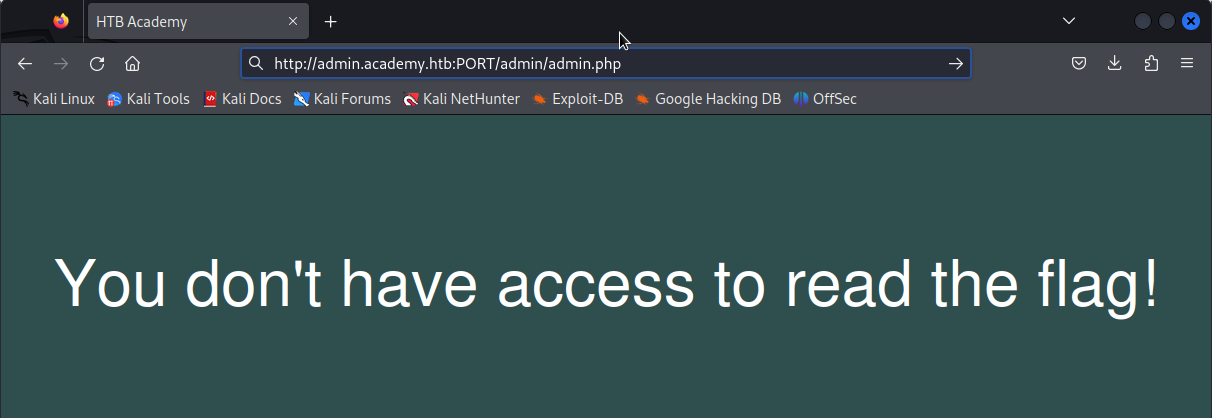 admin.php in browser
This page shows that there is a mechanism in place to verify that the user has access to read the flag.
GET Method
In a GET request, parameters are usually located at the end of the URL separated by ? symbol.
1
2
3
4
5
6
7
8
9
10
11
12
13
14
15
kali@kali$ f≈fuf -w /usr/share/seclists/Discovery/Web-Content/burp-parameter-names.txt -u http://admin.academy.htb:PORT/admin/admin.php?FUZZ=key

...<SNIP>...
[Status: 200, Size: 798, Words: 227, Lines: 54, Duration: 175ms]
    * FUZZ: AuthItemForm

[Status: 200, Size: 798, Words: 227, Lines: 54, Duration: 178ms]
    * FUZZ: AudioPlayerSubmit

[Status: 200, Size: 798, Words: 227, Lines: 54, Duration: 177ms]
    * FUZZ: AuthChildForm

[Status: 200, Size: 798, Words: 227, Lines: 54, Duration: 176ms]
    * FUZZ: AuthItem
...<SNIP>...
We will get many results. So always do the filtering after some time of starting the scan.
1
2
3
4
5
6
7
8
9
10
11
12
13
14
15
16
17
18
19
20
21
22
23
24
25
kali@kali$ ffuf -w /usr/share/seclists/Discovery/Web-Content/burp-parameter-names.txt -u http://admin.academy.htb:PORT/admin/admin.php?FUZZ=key -fs 798

        /'___\  /'___\           /'___\
       /\ \__/ /\ \__/  __  __  /\ \__/
       \ \ ,__\\ \ ,__\/\ \/\ \ \ \ ,__\
        \ \ \_/ \ \ \_/\ \ \_\ \ \ \ \_/
         \ \_\   \ \_\  \ \____/  \ \_\
          \/_/    \/_/   \/___/    \/_/

       v2.0.0-dev
________________________________________________

 :: Method           : GET
 :: URL              : http://admin.academy.htb:PORT/admin/admin.php?FUZZ=key
 :: Wordlist         : FUZZ: /usr/share/seclists/Discovery/Web-Content/burp-parameter-names.txt
 :: Follow redirects : false
 :: Calibration      : false
 :: Timeout          : 10
 :: Threads          : 40
 :: Matcher          : Response status: 200,204,301,302,307,401,403,405,500
 :: Filter           : Response size: 798
________________________________________________

[Status: 200, Size: 783, Words: 221, Lines: 54, Duration: 171ms]
    * FUZZ: user
From the scanning results, we get a valid parameter that can be used in GET requests, which is user. When we try to access it using a browser then the site will display ‘This method is deprecated’
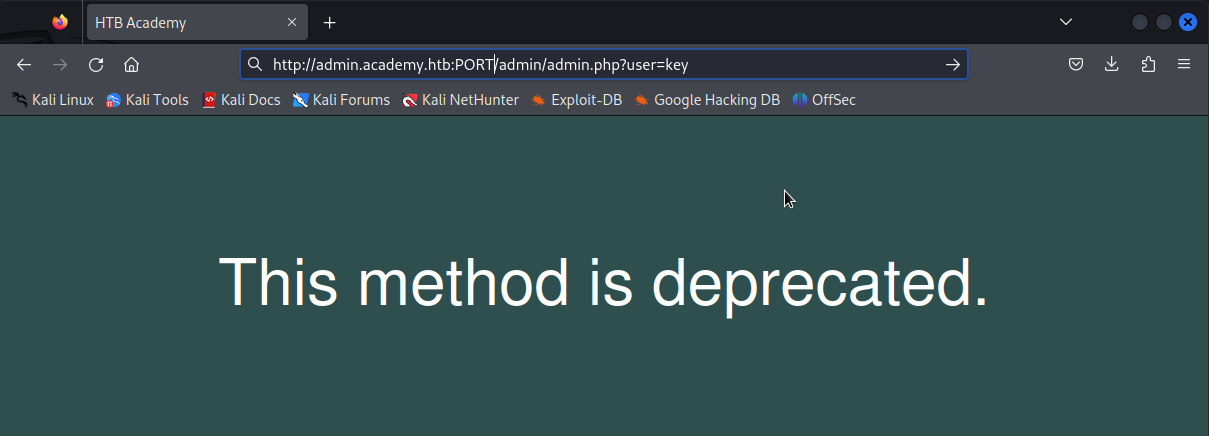 the method is deprecated
POST Method
In a POST request, parameters are sent via the data field in the HTTP request.
1
2
3
4
5
6
7
8
9
10
11
12
13
14
15
16
17
18
19
20
21
22
23
24
25
26
27
28
29
30
kali@kali$ ffuf -w /usr/share/seclists/Discovery/Web-Content/burp-parameter-names.txt -u http://admin.academy.htb:PORT/admin/admin.php -X POST -d 'FUZZ=key' -H 'Content-Type: application/x-www-form-urlencoded' -fs 798

        /'___\  /'___\           /'___\
       /\ \__/ /\ \__/  __  __  /\ \__/
       \ \ ,__\\ \ ,__\/\ \/\ \ \ \ ,__\
        \ \ \_/ \ \ \_/\ \ \_\ \ \ \ \_/
         \ \_\   \ \_\  \ \____/  \ \_\
          \/_/    \/_/   \/___/    \/_/

       v2.0.0-dev
________________________________________________

 :: Method           : POST
 :: URL              : http://admin.academy.htb:PORT/admin/admin.php
 :: Wordlist         : FUZZ: /usr/share/seclists/Discovery/Web-Content/burp-parameter-names.txt
 :: Header           : Content-Type: application/x-www-form-urlencoded
 :: Data             : FUZZ=key
 :: Follow redirects : false
 :: Calibration      : false
 :: Timeout          : 10
 :: Threads          : 40
 :: Matcher          : Response status: 200,204,301,302,307,401,403,405,500
 :: Filter           : Response size: 798
________________________________________________

[Status: 200, Size: 768, Words: 219, Lines: 54, Duration: 170ms]
    * FUZZ: id

[Status: 200, Size: 783, Words: 221, Lines: 54, Duration: 198ms]
    * FUZZ: user
From the scanning results, we get a valid parameter that can be used in POST requests, which is id and user. We can check the response from the web server if we send a POST request with the parameter data that we just got using curl.
1
2
3
4
5
6
7
8
9
kali@kali$ curl http://admin.academy.htb:PORT/admin/admin.php -X POST -d 'user=key' -H 'Content-Type: application/x-www-form-urlencoded'
<div class='center'><p>This method is deprecated.</p></div>
<html>
<!DOCTYPE html>

<head>
  <title>HTB Academy</title>
  <style>
...<SNIP>...
It appears that when using the user parameter in a POST request the site will give the same response as before, “This method is deprecated.”
1
2
3
4
5
6
7
8
9
kali@kali$ curl http://admin.academy.htb:PORT/admin/admin.php -X POST -d 'id=key' -H 'Content-Type: application/x-www-form-urlencoded'
<div class='center'><p>Invalid id!</p></div>
<html>
<!DOCTYPE html>

<head>
  <title>HTB Academy</title>
  <style>
...<SNIP>...
However, the site gives a different response when given the id parameter in the POST request. This indicates that the parameters and methods used are correct, but the key provided is still incorrect.
Value Fuzzing
Finally, we have to try fuzzing the key of the parameters that we already know. However, before starting value fuzzing we have to prepare a wordlist first. You can use tools like crunch and so on to generate the wordlists. This time, I will use a shell script that writes the numbers 1 to 1000.
1
kali@kali$ for i in $(seq 1 1000); do echo $i >> ids.txt; done
The results of the wordlist that we created:
1
2
3
4
5
6
7
8
kali@kali$ cat ids.txt
1
2
3
...<SNIP>...
998
999
1000
The fuzzing command used is similar to the previous one, only the key part is fuzzed.
1
2
3
4
5
6
7
8
9
10
11
12
13
14
15
16
17
18
19
20
21
22
23
24
25
26
27
kali@kali$ ffuf -w ids.txt -u http://admin.academy.htb:PORT/admin/admin.php -X POST -d 'id=FUZZ' -H 'Content-Type: application/x-www-form-urlencoded' -fs 768

        /'___\  /'___\           /'___\
       /\ \__/ /\ \__/  __  __  /\ \__/
       \ \ ,__\\ \ ,__\/\ \/\ \ \ \ ,__\
        \ \ \_/ \ \ \_/\ \ \_\ \ \ \ \_/
         \ \_\   \ \_\  \ \____/  \ \_\
          \/_/    \/_/   \/___/    \/_/

       v2.0.0-dev
________________________________________________

 :: Method           : POST
 :: URL              : http://admin.academy.htb:PORT/admin/admin.php
 :: Wordlist         : FUZZ: /home/ninjavi/htb/academy/ffuf/ids.txt
 :: Header           : Content-Type: application/x-www-form-urlencoded
 :: Data             : id=FUZZ
 :: Follow redirects : false
 :: Calibration      : false
 :: Timeout          : 10
 :: Threads          : 40
 :: Matcher          : Response status: 200,204,301,302,307,401,403,405,500
 :: Filter           : Response size: 768
________________________________________________

[Status: 200, Size: 787, Words: 218, Lines: 54, Duration: 247ms]
    * FUZZ: 73
From the scan results, the value of the id parameter is 73. Next, we try sending a POST request with the parameters and values that have been obtained using curl.
1
2
3
4
5
6
7
8
url http://admin.academy.htb:PORT/admin/admin.php -X POST -d 'id=73' -H 'Content-Type: application/x-www-form-urlencoded'
<div class='center'><p>HTB{*************************}</p></div>
<html>
<!DOCTYPE html>

<head>
  <title>HTB Academy</title>
  <style>
As a result, we succeeded in getting a flag on the site.